
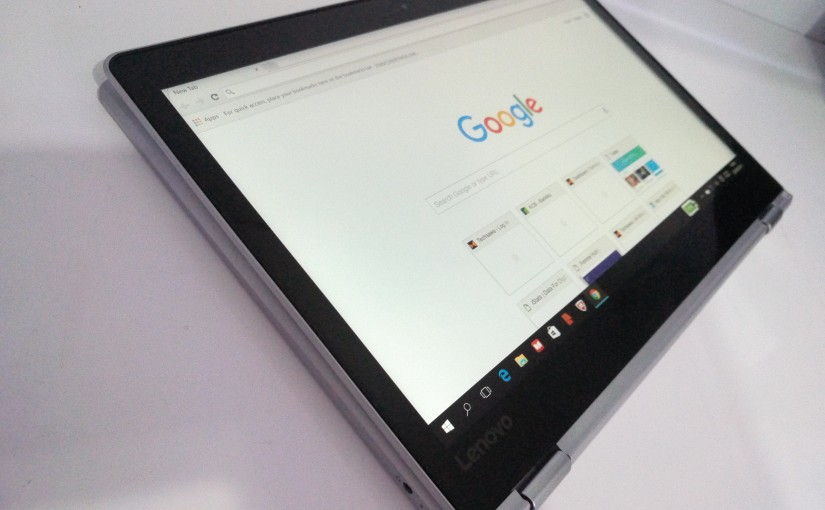


Everyone has tried one time or another to find the maximum distance a laptop screen extends. But if you haven’t used the yoga then you are in for a big surprise. The reason as to why its called a yoga is because the screen can flip 360 degrees and render its keypad useless as the touch screen takes over.
There are 2 other modes of using the yoga apart from laptop and tablet and that is using the keyboard area as a stand and placing the gadget in an inverted V shape. These two modes work best when watching videos. The screen automatically adjusts to whichever way you hold it be it in landscape or potrait mode.
The lenovo yoga is a sleek device that would impress the ladies.


The processor is a type that is used in mobile devices. That’s what I am guessing. It could get pretty warm during use
Quick Specs and Ports
- 4GB DDR3 RAM
- Integrated HD graphics chip
- 250GB SSD Hard disk
- 720p Webcam
- 1 USB 3.0 port
- Combined 3.5mm Mic + Headphone jack
- MEM card Reader
- Mini HDMI port
- WiFi and Bluetooth supported
Keyboard and Mouse Pad
The Keyboard on the Lenovo yoga device has chiclet styled buttons that are quite easy to use. There is very little noise associated with fast key presses, its what you would consider below than an average keyboard.
The keyboard however does not have a dedicated numbers area because of the small size. But there was something I noticed when typing the character @, it comes from Shift + 2 and not Shift + ” as we are used to on normal keyboards.
The mouse pad area is also small and not very slipperly, its easy to put the mouse pointer on those small edges on say a window to expand it.
Speakers
The stereo speakers at the bottom of the tablet/laptop are clear enough for watching music videos with a volume level that can fill an entire room. What was more powerful (depends on your earphones) was the combined mic + headphone jack. The sound settings are the normal ones you are used to in a windows devices.
Charging
The charger however has those Pins that need a special universal extension or plug so that it can fit into the British standard style socket that we are used to.
Despite its small size, it produces 20Volts DC power at 2.25 amperes.

The battery on the other hand is a non removable mAh battery. It could last me like 2 days without charge when on WiFi and playing videos.
Price and Availability
The Lenovo Yoga laptop is available at Textbook centre for an average price of Ksh100,000. I also saw it on jumia for around Ksh120,000.
The price is high but you get the advantage of having an SSD storage which is faster than a traditional hard disk as well as a touch screen.
Verdict
The Lenovo yoga is the sleekest laptop I have ever used, its not heavy like a traditional laptop and it almost has the processing power of an average laptop. After going back to my laptop I thought to my self, what dinosaur age laptop is this.
But there are a few details Lenovo would have changed.
- The charger pin
- The HDMI port size to what people are used to.
- Extra 3.0 USB ports, maybe 2 of them.
- And lastly but not necessarily, some physical volume buttons on the side of the screen, for a full tablet feeling.
As for the 2nd and 3rd point, its very possible because the edges of the keyboard area are just bare.